
As soon as LLMs got popular, I was unhappy about it. I feared that a lot of people would not take the disclaimer to heart that LLMs are not always factually correct, and that misinformation might be a huge issue in the years to come.
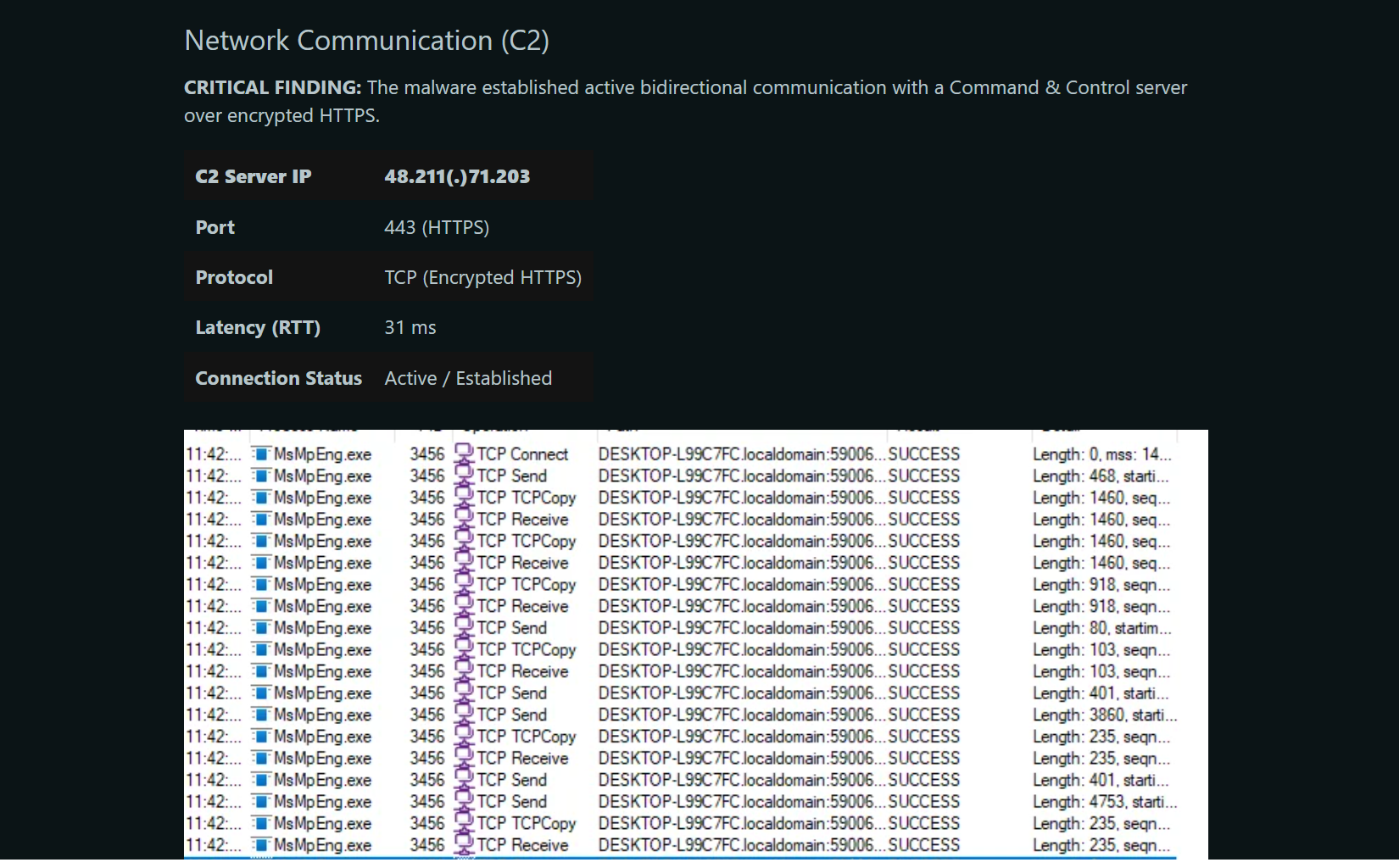
My fears came true and intruded on my favorite topic: malware analysis. I have seen Internet users post convincing AI generated analysis reports which are full of mistakes and assumptions yet receive praise for that. Some security researchers stated they regularly paste obfuscated code into AI chats, tell the AI to deobfuscate it and then take the result as factual, despite knowing that there are probably hallucinations. The reason: It’s easy. However, being factually correct in a malware analysis reports is essential. Without factual accuracy, any analysis becomes utterly useless, to the point of being harmful.
Despite all my negative feelings, I decided to give it a go and test it thoroughly. What changed my mind? I was beaten by AI.
Many of us reverse engineering geeks hang out in Discord channels to exchange information about learning resources, new tools, or malware reports. Often, beginners will ask for advice on sample analysis. One day someone requested help to unpack a malware sample. I directly got to it, but it took me half an hour until I got to the second stage at which point I merely nudged them into the right direction. Ten seconds after my post a comparably inexperienced reverse enginner whipped up an unpacking script for all stages. I was blown away, because I have been in the field for 11 years now, and I consider myself fairly experienced. At least experienced enough to know that an analysis by a beginner just doesn't happen that fast. So, I asked them how they figured that out. You probably know the answer: It was AI. It was a good use of AI too, because an unpacking script is easily verifiable. Run it on the sample and see what you get.
So, I finally set my feelings aside, swallowed my pride and built my own AI analysis lab to see how well it performs and whether it is a good addition to my tool arsenal.
LLM analysis lab setup
My setup is as follows: I have two VMs, one VM with Remnux and the other with Windows 10. On the Remnux VM I installed Claude and OpenCode and I set up the following MCP servers:
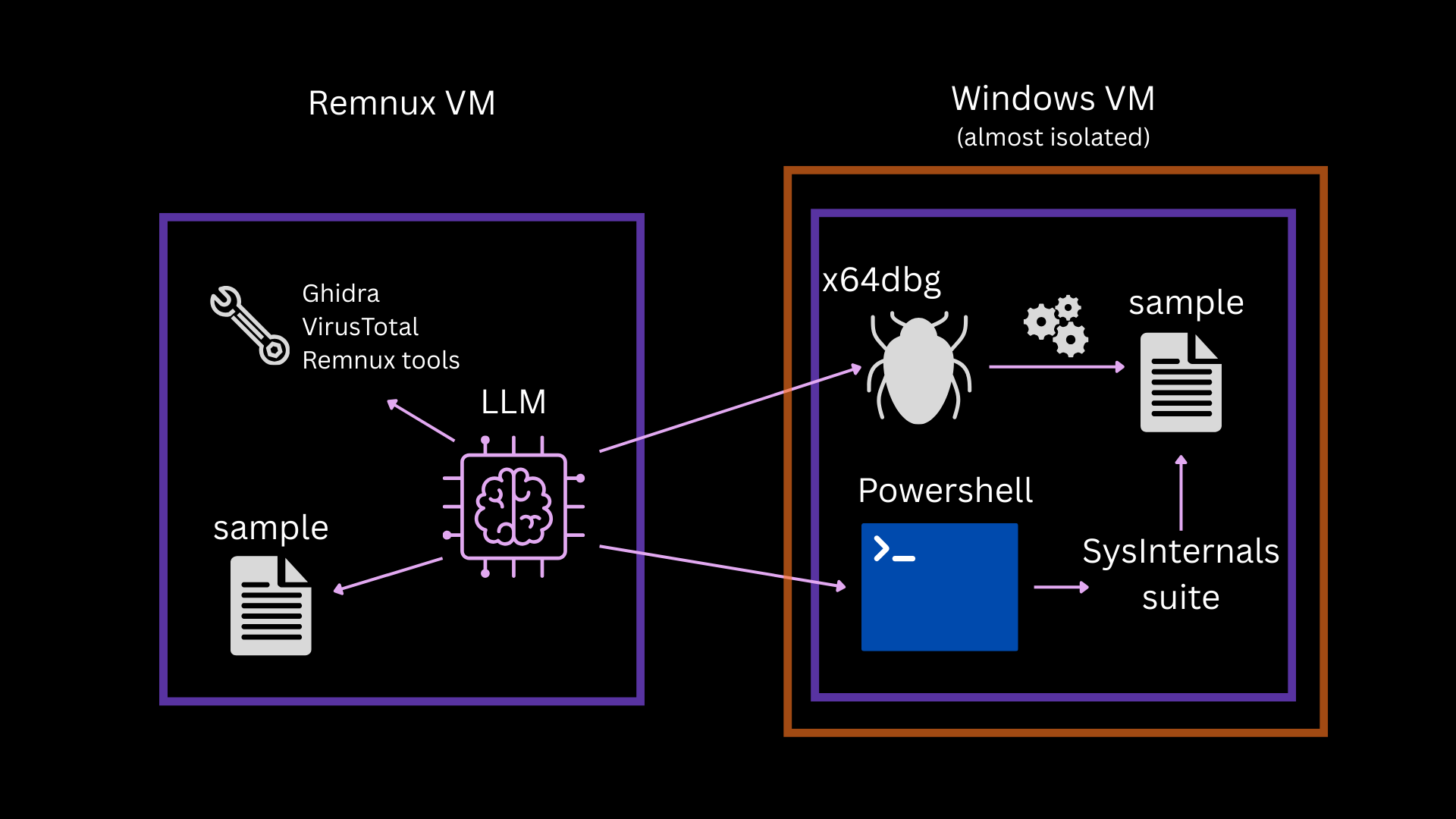
The ssh and x64dbg MCP are connected to the Windows 10 VM. That VM is isolated apart from an internal network adapter and meant to run malicious code, whereas Remnux should be used by the AI for static analysis. The Remnux VM needs an internet connection so that the AI clients work.
Initially I tested three models: OpenAI GPT 5.1, OpenAI GPT 5.1-mini and Claude Sonnet 4.6.
I started with easy samples first. An office document with a somwhat older equation editor exploit (CVE-2017-11882).
I used GPT 5.1-mini to see if a cheaper option still works for analysis. However, the results were a disappointment. Sure, simple triage worked, but I would be able to automate the same thing with a small script – no need for an LLM. For more complex tasks the model would frequently jump to wrong conclusions and it simply yielded no useful information at all. I gave up on that approach – apart from hashes and overview metadata, this approach didn’t produce any usable information.
In case of the equation editor exploit GPT 5.1-mini told me that the sample was clean because it contained no macros, but that it had a very suspicious domain: decalage.info. This is amusing because decalage.info is the legitimate website for oletools – a suite of python tools which are used to reverse MS Office file formats. The tool emits its domain, and the model was not able to distinguish between the tool’s header output and actually extracted sample information. Turns out that GPT 5.1 made the same mistake later. I tried to nudge GPT 5.1-mini to find the next stage’s URL via emulation of a particular file, but it failed after multiple attempts to use Unicorn. I tried a second time and told it to use Speakeasy on the shellcode file (because that’s what had worked for me), it failed another time. After that I never attempted to use GPT 5.1-mini for this again.

GPT 5.1 and Sonnet 4.6 were a whole different story than the mini model – with some adjustments.
For the equation editor exploit sample, GPT 5.1 needed to be steered in the right direction. It attempted to extract Macros and failed initially. GPT 5.1 noted that it is an anomalous sample, but could not find proof of anything malicious. However: once I told it to look for the equation editor exploit, it successfully found the shellcode that loads the next stage, emulated it with Mandiant’s Speakeasy and printed the next stage’s URL.
Sonnet 4.6 automatically figured out that this is likely related to the equation editor exploit, provided a correct verdict and determined where the shellcode is. However, it could not extract the URL of the next stage on its own. So, I explicitly asked Sonnet to find the next stage’s URL – notably, this is an information I only had because I had already analyzed the sample. Sonnet searched with regex for URL patterns in all extracted files and came up empty because the URL is built by the shellcode on the fly. So, I steered it to use emulation, which immediately worked.
I continued with a more difficult sample that took me roughly six hours of “old school elbow grease” to analyze and write a static decryption script that works generically for similar samples. The goal for the AI was the same: Figure out how you can extract and decrypt the files and then write a decryption script in Python. Here is where the LLMs blew me away.
GPT 5.1 and Sonnet 4.6 were both successful; but instead of six hours they only needed 30 minutes to create a sample-specific Python script. Even if I spend one hour verifying the output (as one should always do with any LLM output) and improving the script to work generically, it is still a drastic improvement. This finally convinced me that LLMs are a great tool in a reverse engineer’s arsenal.
During my comparison tests Sonnet 4.6 was cheaper and a bit slower for the same tasks but the results were roughly of the same quality as GPT 5.1 and I did not want to spend a fortune. So, I continued solely with Sonnet 4.6 and Opus to refine the Lab and the analysis process. The highest priority was to create factually correct and easily verifiable reports.
So, I created a report skill that does not merely list the finished analysis results but tells the LLMs to outline every step an analyst would need to take for verification. Furthermore, I added verification passes for critical data like IPs, hashes, filenames, paths, registry keys, offsets, line numbers and so on. These passes unfortunately take a lot of tokens, because they must analyze the samples for key information again. The LLM appends the corrections from these verification passes to the report.
I stressed the pipeline with samples that I know intimately because I had written reports about them. That way, checking facts would be easy. Here is what I learned:
Reports cannot be trusted
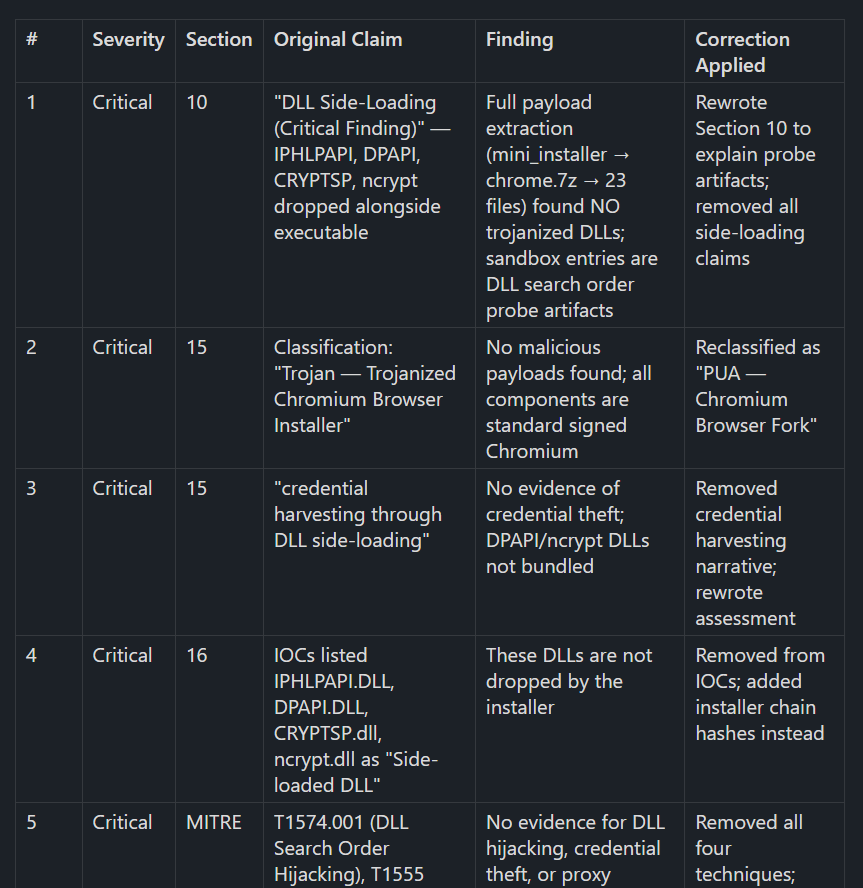
Even with five verification passes, there are frequent mistakes in key points of the report, including IoCs, relations of files, persistence locations. LLM written analysis reports are inherently not trustworthy. I fear that the ease of creating them lures people into believing them to be factual, just like bug bounty programs are getting flooded with LLM generated vulnerability reports and open source developers must spend a tremendous amount of time reviewing AI slop pull requests.
Verdicts cannot be trusted
Verdicts are the worst. LLMs misjudge the importance of their findings frequently. That is because they make wrong assumptions and jump to conclusions. If they have access to VirusTotal results, they tend to rely mostly on the scanners to form their verdict. In my line of work that is undesirable because we specifically get samples where scanning engines or other automation fail. I could correct this partially by telling the LLM to never use VirusTotal results for a verdict. But that did not solve the overall problem of wrong verdicts.
It requires an experienced analyst to ask clarifying questions, see where misjudgment happens, and steer the LLMs in the right direction.
At this point in time, LLMs cannot be trusted with verdicts!
Tooling is important
It makes a huge difference for the quality and speed of the analysis if the sample has the right tools at its disposal and appropriate descriptions of when and how to use them. So over time it makes sense to create skills for specific sample types, e.g., a dedicated skill for JavaScript analysis that describes what tools are a good choice. Otherwise the LLM is burning through a bunch of tokens because it has to figure out by trial and error what works for every sample.
Adding the headless Ghidra MCP also substantially improved analysis. Prior to that, the LLM attempted disassembly with the inbuilt Remnux tools, which yielded the same results, but at a far greater expense. Decomplication produces more concise output than disassembly and should be preferred.
The MCP I used for x64dbg was very token hungry. It still proves valuable because some samples are easier to analyze with debugging.
The SSH MCP allows the LLM to dynamically analyze .NET binaries with Powershell or deobfuscate scripts dynamically. The LLM even was successful with basic monitoring tasks by calling Sysinternals tools from PowerShell terminal. However, the LLM needs explanations to remember that this is a possibility.
LLMs cover more in a shorter time
The thing that is great about the LLMs is that they can automatically look at complex programs and setups in detail in a relatively short time. Sometimes we get setup files of programs which have thousands of interacting files. A human cannot look at all of them, so we spend a lot of time determining the key areas. Out of necessity, we have to cut the analysis short at some point.
The LLM is way faster, so it will find interesting areas, indicators, and files that we might miss. For example, it detected a debug path remnant with a project name in one configuration file of a sample. I had analyzed this sample in detail a year ago. It was a huge application that consisted of ten thousand files. There was little chance for me to find this artifact.

LLMs have a broader range of knowledge
Every reverse engineer has their key areas where they shine and have a lot of specialist knowledge. One reason why malware analysts often team up with others to write malware reports is to make use of everyone’s special knowledge.
However, LLMs do know more in those areas that are less familiar to us. In my experiments, the LLM could contextualize findings for me with information that I wouldn’t have thought of looking up because I did not know it was a thing. Especially if you are analyzing malware on your own, without a team, this context is a great help and will improve your report and teach you a few things along the way.
Create scripts, not just reports
The great thing about scripts is that the LLM has a feedback loop that tells if the script is working or not. This feedback loop is not available in the same way for most other parts of a report.
So, by telling the LLM to generate a configuration extractor, static unpacker, or deobfuscation script, you can save a lot of time validating data of the report. Briefly check that the script is not cheating (e.g., it could just print a hallucinated C2 URL instead of extracting anything) and run it on the sample. Then you are done. For instance, an unpacking script does not only verify what payload is being unpacked and what the relationship between both stages is but also where and how the encrypted payload is stored and what algorithms are necessary for decryption.
I have added as a crucial analysis step that the LLM shall create deobfuscation scripts as files for re-use instead of writing one-liners on the command line.
Building your own lab is easy
Building your own autonomous LLM analysis lab is easier than you might think, and it does not need the latest and greatest hardware either. But please use a system that is separate from your main machine.
It took one weekend of my time to set up the lab. I used an old laptop that’s roughly 12 years old and that I had upgraded to 16 GB RAM. I gave Remnux 4GB and 8GB to the Windows VM. The host system is Debian.
This lab can’t run x64dbg Windows VM and Ghidra at the same time because of the low RAM. So, I must decide beforehand which tool I want the LLM to use. If I don’t need the Windows VM, I give Remnux 12 GB and then it can work on two analyses at the same time without thrashing. Thrashing is a condition where a system spends more time handling memory management than executing actual code, leading to a system freeze. I recommend at least 32 GB if you can afford that, given the current prices for RAM, because having to decide whether you want to use debugging or not and manually switching between the two setups is annoying.
The nice thing is, your LLM can do many parts of the setup for you. You only need to set up Remnux and Claude all on your own. Then tell the LLM what you want to install, verify that it does the right thing and approve, that’s it. This is a VM, so if anything goes wrong, use an earlier snapshot. Do snapshots after all major changes.
Paying by token is fine for testing models, but it is very expensive over time. One analysis can easily cost you anywhere between 5-20 Euros. For most purposes it’s cheaper to pay for a subscription.
The age of misinformation
It is abundantly clear that autonomous LLM analysis is a very useful tool in our arsenal which cuts analysis time short. Automation of analysis was very hard to do previously, because each sample requires its own approach and tooling. LLMs, however, can decide on their own what to do next. And if done in the right way, we reverse engineers can use them to increase efficiency without sacrificing quality.
But I also know what will inevitably happen next: Paid services with automatic LLM based sample analysis will become available and just like automatic sandboxes with their overeager maliciousness scores they will be sold as “fact machines” to people who have no reverse engineering background. Because they produce impressive looking results upon the press of a button, most people will misunderstand them. But also for professionals it will become harder to distinguish truth from fabrication; these reports look technically convincing after all.